- Why People Are Leaving HeyReach in 2026
- Quick Feature Comparison
- HeyReach — The Tool You're Leaving
- 1. Linked Helper — Best Value Overall
- 2. Expandi — Safest LinkedIn-First Cloud Option
- 3. La Growth Machine — True Multi-Channel Pick
- 4. Lemlist — Cold Email First, LinkedIn Added Later
- 5. Dripify — Simple LinkedIn Drip Campaigns
- 6. Waalaxy — Free-Tier Entry Point
- 7. Meet Alfred — Multi-Channel with X Support
- HeyReach Pricing vs. Alternatives
- Is LinkedIn Automation Safe in 2026?
- How to Switch from HeyReach in 4 Steps
- Final Verdict
- FAQ
Why People Are Leaving HeyReach in 2026
HeyReach gets a lot right. The unified inbox is clean. Sender rotation works. Agency pricing at 50+ accounts is fair. None of that is in dispute.
But four patterns keep appearing in G2 reviews and user forums from teams actively looking for alternatives.
1. LinkedIn-only stops working past a certain volume
HeyReach has no native email channel. If a prospect ignores LinkedIn, the only follow-up is another LinkedIn message. Verified G2 reviewers cite this directly: adding Instantly or Smartlead for email means a second subscription, a second login, and zero conditional logic between the two channels.
2. Per-sender pricing climbs faster than expected
HeyReach Growth costs $79/seat/month billed annually. Five reps with one LinkedIn account each costs $395/month before sending a single message. Agency pricing only makes economic sense at 20+ accounts. Linked Helper Standard delivers identical single-account automation at $15/month.
3. Agency and Unlimited plans require bring-your-own proxies
HeyReach Agency and Unlimited plans do not include residential proxies. Independent proxy sourcing costs $5–$15 per LinkedIn account per month. A 50-account Unlimited plan adds $250–$750/month on top of the $1,999 base price.
4. Support response times slip under load
G2 reviewers consistently report customer support averaging 1–2 days to reply when campaigns fail. Multiple reviewers describe sequences failing to save edits, causing users to lose campaign configuration work.
Quick Feature Comparison: 7 HeyReach Alternatives
| # | Tool | Type | Price/mo | Free Trial | Multi-account | Ban Risk | G2 Rating | |
|---|---|---|---|---|---|---|---|---|
| 1 |  Linked Helper Linked HelperDesktop |
Desktop app | $15 | ✓ 14d, no CC | Via Zapier | ✓ | Low | 4.5 / 149 reviews |
| 2 |  HeyReach HeyReachCloud |
Cloud | $79/seat | ✓ 14d, no CC | ✗ | ✓ | Medium | 4.6 / 69 reviews |
| 3 |  Expandi ExpandiCloud |
Cloud | $79 annual | ✓ 7d | Basic | ✗ | Med–High | 4.2 / 129 reviews |
| 4 |  La Growth Machine La Growth MachineCloud |
Cloud | €50/identity | ✓ 14d, no CC | ✓ | Per identity | Medium | 4.6 / 56 reviews |
| 5 |  Lemlist LemlistCloud |
Cloud | $55/user | ✓ 14d, no CC | ✓ | ✗ | Medium | 4.4 / 966 reviews |
| 6 |  Dripify DripifyCloud |
Cloud | $24 annual | ✓ 7d, no CC | Light | ✗ | Medium | 4.5 / 322 reviews |
| 7 |  Waalaxy WaalaxyCloud + Ext. |
Cloud/Ext | Free / €19 | ✓ Free plan | ✓ | ✗ | Medium | 4.6 / 530 reviews |
| 8 |  Meet Alfred Meet AlfredCloud |
Cloud | $29 annual | ✓ 7d | ✓ | ✗ | Medium | 3.3 / 32 reviews |
Sources: vendor pricing pages, G2, Trustpilot, Capterra — verified .

HeyReach is built specifically for agencies running 10–50 LinkedIn accounts simultaneously. The Unibox aggregates replies across all sender accounts into one inbox, and account rotation handles outreach at agency scale. The Growth plan includes a dedicated residential proxy per sender — a meaningful advantage over tools using shared IP pools. G2 rating: 4.6/5 from 69 reviews ().
HeyReach Growth costs $79/seat/month billed annually. The Agency plan covers 50 senders for $999/month ($20/sender). Both Agency and Unlimited plans require bring-your-own proxies at $5–$15 per account per month. There is no native email channel — email outreach requires Instantly or Smartlead as a separate subscription.
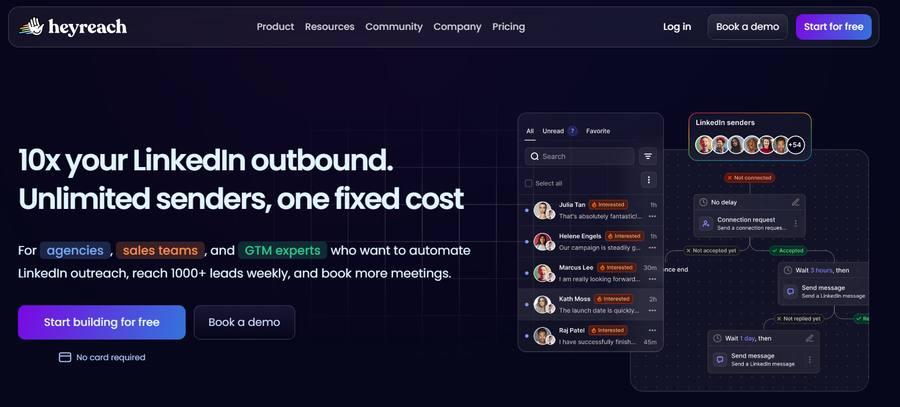
HeyReach — Unibox for multi-account reply management and visual sequence builder ()
- Unibox for multi-account reply management
- Growth plan: residential proxy per sender included
- Agency plan: 50 senders for $999/month ($20/sender)
- 14-day trial, no credit card required
- Strong multi-account rotation and campaign management
- No native email channel — requires Instantly/Smartlead add-on
- Agency and Unlimited plans: BYO proxies (+$5–$15/account)
- $79/seat pricing uneconomic for teams under 5 accounts
- Support averages 1–2 days to reply per G2 reviewers
- Sequences sometimes fail to save edits mid-campaign
Linked Helper is a desktop LinkedIn automation tool that runs on the user's own machine via a built-in browser engine — not Chrome, not a cloud server. LinkedIn records the user's residential IP for every session. Linked Helper has been trusted by 500,000+ users across 180+ countries since 2016. Trustpilot rating: 4.9/5 from 431 reviews. G2 rating: 4.5/5 from 149 reviews ().
Linked Helper Standard costs $15/month — 81% cheaper than HeyReach Growth at $79/month per sender. The 14-day free trial covers all Standard-plan features with no credit card required. Linked Helper integrates natively with 11 CRMs including HubSpot, Salesforce, Pipedrive, Zoho CRM, Zoho Recruit, ActiveCampaign, HighLevel, Streak, Close, Capsule, and Instantly. Setup from account creation to first campaign using a CSV import takes under 10 minutes.
Linked Helper supports multiple LinkedIn accounts per workspace with per-account proxy isolation. Account rotation and a unified inbox are available at the Standard price without a plan upgrade. For agencies running 10 accounts, Linked Helper Standard costs $150/month versus $790/month on HeyReach Growth or $999/month on HeyReach Agency (50 senders).
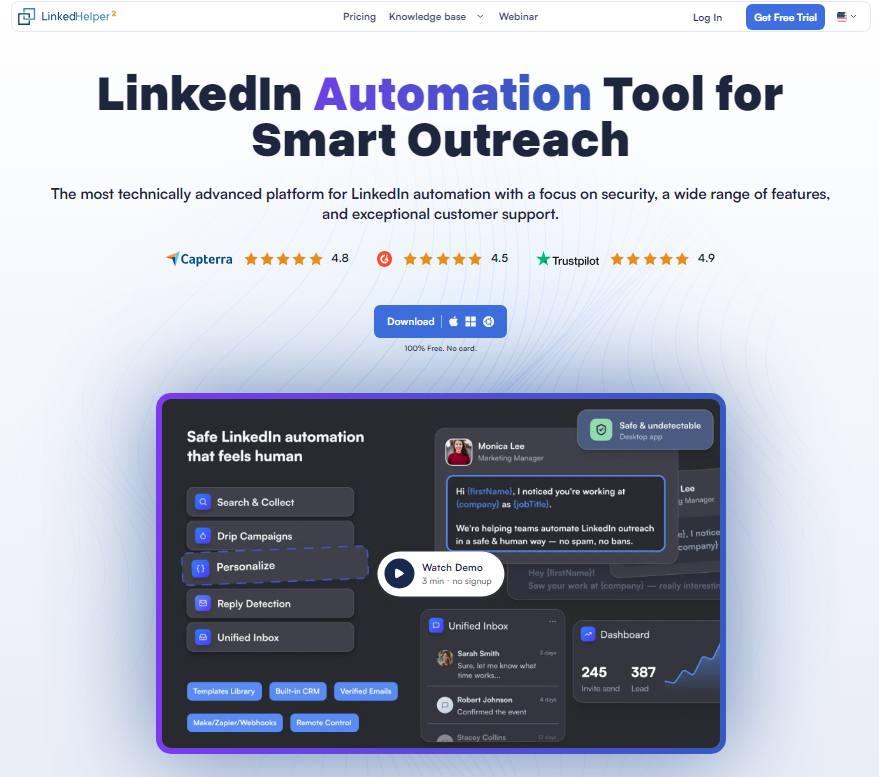
Linked Helper desktop app — campaign builder, unified inbox, and live outreach dashboard ()
- Desktop architecture — residential IP, no vendor cloud
- Lowest price in category: $15/month Standard
- 14-day full-feature trial, no credit card required
- 11 native CRM integrations including HubSpot, Salesforce, Pipedrive, Zoho CRM, Zoho Recruit, ActiveCampaign, HighLevel, Streak, Close, Capsule, and Instantly
- VPS-compatible for 24/7 unattended operation
- Per-account proxy assignment for agencies
- Trustpilot 4.9/5 (431 reviews) · G2 4.5/5 (149 reviews)
- Requires desktop or VPS installation — no browser-only access
- 20–30 min setup for first multi-step campaign
- No native email or Twitter/X outreach
- Email requires Zapier bridge to cold email tools
Linked Helper vs. HeyReach
| Feature | HeyReach | Linked Helper |
|---|---|---|
| Starting price | $79/seat/month | $15/month |
| Architecture | Cloud (vendor IP) | Desktop (residential IP) |
| Email outreach | Requires Instantly/Smartlead | Via Zapier bridge |
| Multi-account | ✓ Agency-first | ✓ Per-account proxy |
| Native CRM integrations | 3 (HubSpot, Salesforce, Pipedrive) | 11 native CRM integrations |
| Free trial | 14 days | 14 days, all features, no CC |
| 10-account monthly cost | $790/month | $150/month |
Expandi built its reputation on LinkedIn account safety. The headline feature is a dedicated country-based IP per account — a meaningful distinction from cloud tools using shared IP pools. Smart Sequences with conditional if/then logic cover 11+ campaign types including event invites, post engagement, and Sales Navigator imports. G2 rating: 4.2/5 from 129 verified reviews () with documented billing disputes in recurring complaints.
Expandi Business costs $79/account annually ($99/month billed monthly). Full image personalization requires adding Hyperise ($69/month) and Sendspark ($49/month), bringing the effective total to $197+/month for visual outreach capability. Multiple G2 reviewers report LinkedIn account restriction incidents despite the safety positioning.
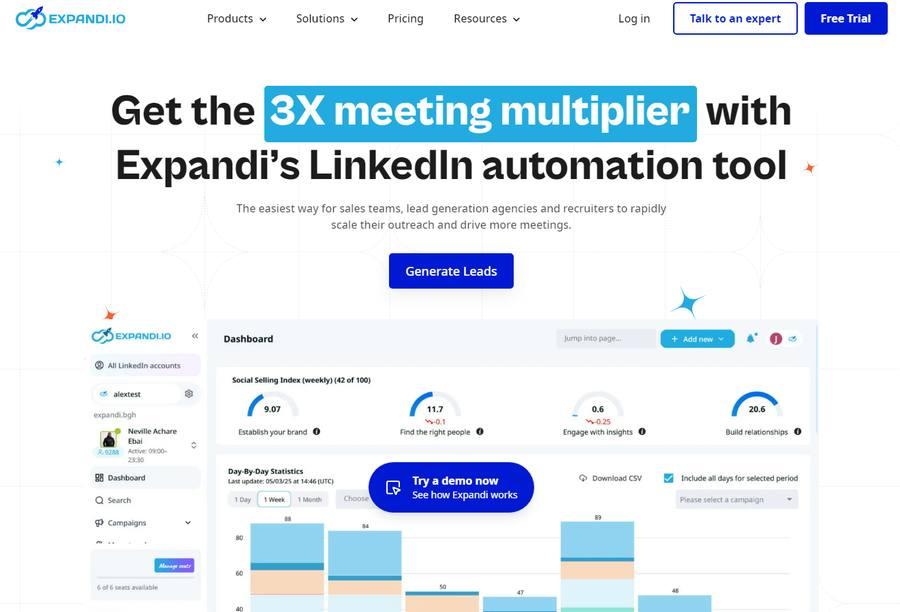
Expandi — campaign dashboard with Social Selling Index tracking and day-by-day outreach statistics ()
- Dedicated country-based IP per account
- Smart Sequences with conditional if/then logic
- 11+ campaign types including Sales Navigator imports
- Cloud-based — runs 24/7 without your computer on
- $99/month per account at monthly billing
- Image personalization adds $118/month (Hyperise + Sendspark)
- Billing dispute complaints documented on G2
- Account restrictions still reported despite dedicated IP
La Growth Machine was built from day one as a multi-channel platform — not a LinkedIn tool with email added later. Native sequences run across LinkedIn, email, X, and calls in simultaneous if/then conditional flows. Waterfall email enrichment uses 9 data providers. LinkedIn voice messages with AI voice cloning are available on Pro and Ultimate plans. G2 rating: 4.6/5 from 56 reviews () — highest-rated cloud multi-channel tool in this comparison.
La Growth Machine Basic costs €50/identity/month annually, covering LinkedIn and email with 250 enriched leads/month. Pro at €100/identity adds multichannel inbox and intent data. Ultimate at €150/identity adds Twitter/X, full Salesforce sync, and unlimited campaigns.
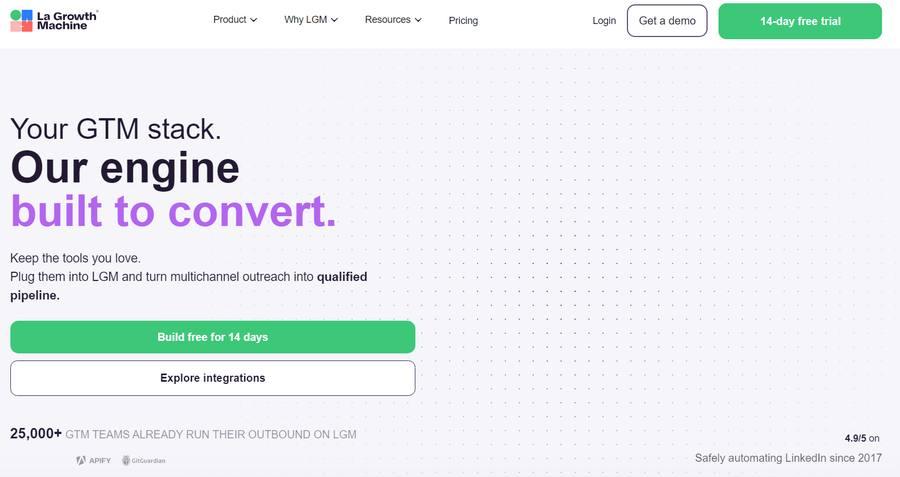
La Growth Machine — multichannel outreach platform trusted by 25,000+ GTM teams, safely automating LinkedIn since 2017 ()
- Native LinkedIn + email + X + calls conditional flows
- Most advanced multi-channel visual sequence builder
- Waterfall enrichment from 9 data providers included
- EU-hosted, GDPR-native
- Highest G2 rating among cloud tools in this list (4.6/5)
- Per-identity pricing punishes team growth
- 1–2 hour setup for first multi-channel sequence
- Twitter/X requires Ultimate plan at €150/identity
- Sync errors reported in G2 reviews

Lemlist is an email-first outreach platform with LinkedIn automation added as a secondary channel. Strong cold email personalization — dynamic images, custom landing pages, and AI-generated message drafts — sets Lemlist apart from tools where personalization means merge fields. Lemwarm email warm-up is included on every plan at no extra cost. G2 rating: 4.4/5 from 966+ verified reviews () — highest review volume in this comparison by a wide margin.
Email Pro costs $55/user/month annually. Multi-Channel Expert at $79/user/month adds LinkedIn invites, messages, and profile visits. The built-in database covers 450M+ contacts. LinkedIn automation depth is noticeably lighter than tools built around LinkedIn from the start.
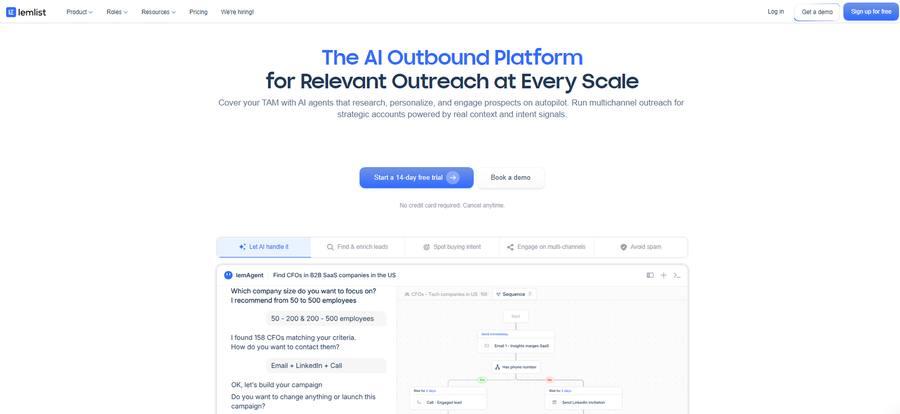
Lemlist — AI-powered outreach platform with lemAgent for multichannel campaign building across email, LinkedIn and calls ()
- Strongest email personalization: dynamic images + custom landing pages
- Lemwarm warm-up built in at no extra cost
- 450M+ contact database included
- 966+ G2 reviews — most-reviewed tool in this list
- Conditional sequences with smart logic
- LinkedIn capabilities lighter than LinkedIn-native tools
- Per-user pricing scales linearly at team size
- Database view caps at 30 pages
- Enrichment credits expire monthly, no rollover
Dripify is a LinkedIn automation tool built around a drag-and-drop visual campaign builder and simple setup. Cloud-based operation means campaigns run 24/7 without the user's computer on. G2 rating: 4.5/5 from 322+ reviews. The Basic plan at $24/month annually limits each account to one active campaign — unlimited campaigns require Pro at $39/month annually.
Advanced safety features including randomized delays, team management, and configurable limits are locked to the $59/month Advanced plan. Basic and Pro users operate without these controls. Dripify does not allow editing a campaign after launch: users who identify targeting errors must terminate and rebuild from scratch.
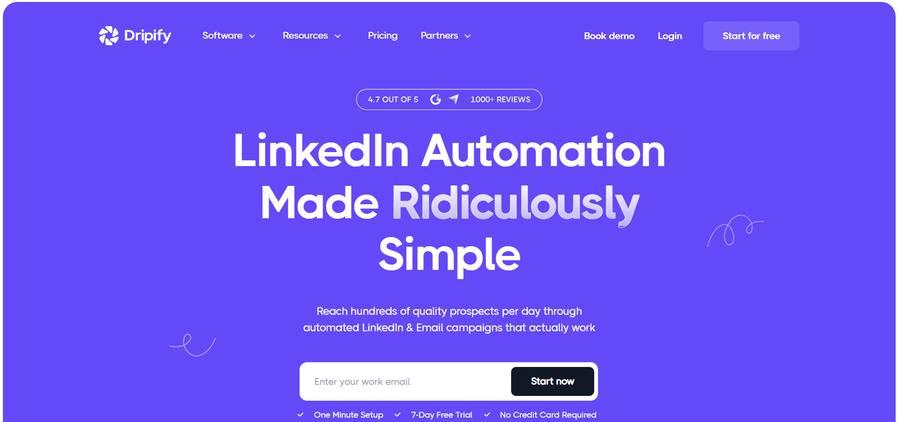
Dripify — visual LinkedIn automation builder, 4.7/5 from 1000+ reviews, 7-day free trial with one-minute setup ()
- Easiest learning curve in this list
- Drag-and-drop visual campaign builder
- Cloud-based, runs 24/7
- Affordable entry at $24/month annually
- 4.5/5 on G2 with 322+ reviews
- Basic plan: 1 active campaign limit
- Campaign immutability: must rebuild to fix targeting errors
- Safety features locked to $59/mo Advanced plan
- Email is limited; primarily LinkedIn-only

Waalaxy offers a permanent free plan allowing 80 LinkedIn connection invites per week — the only tool in this comparison with a genuine indefinite free tier. Combined LinkedIn and email outreach is available on paid plans starting at €19/month. G2 rating: 4.6/5 from 530+ reviews. The Cloud + Chrome extension hybrid means session data uploads to Waalaxy servers, combining vendor cloud routing with extension fingerprint exposure.
Serious outbound teams outgrow the free plan's 80-invite weekly limit quickly. G2 reviewers report stability issues and inflexible billing policies. No refunds are provided for partial billing periods.
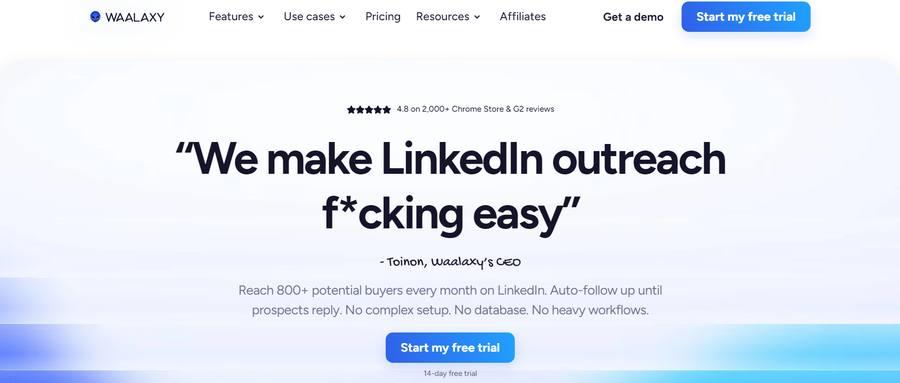
Waalaxy — LinkedIn outreach tool with permanent free plan, 4.8/5 rating from 2,000+ combined Chrome Store and G2 reviews ()
- Permanent free plan — 80 invites/week, no credit card
- LinkedIn + email in one workflow
- 99+ pre-built campaign templates
- 4.6/5 on G2 with 530+ reviews
- Cloud + extension: vendor IP + Chrome fingerprint risk
- Session data uploaded to Waalaxy servers
- Outgrown quickly by teams needing volume
- No refunds for partial billing periods

Meet Alfred was the first platform to combine LinkedIn, email, and X into single campaigns. The multi-channel angle and low pricing are appealing on paper. G2 rating: 3.3/5 from 32 verified reviews () — lowest rating in this comparison. Positive reviewers like multi-channel capabilities. Critical reviews consistently cite connectivity issues, poor customer service, and LinkedIn account restriction incidents.
Individual plan starts at $29/month billed annually ($59/month billing). Business plan costs $49/month annually. Built-in CRM with contact tagging and 600+ message templates are included. The UI feels dated compared to newer tools in this list.
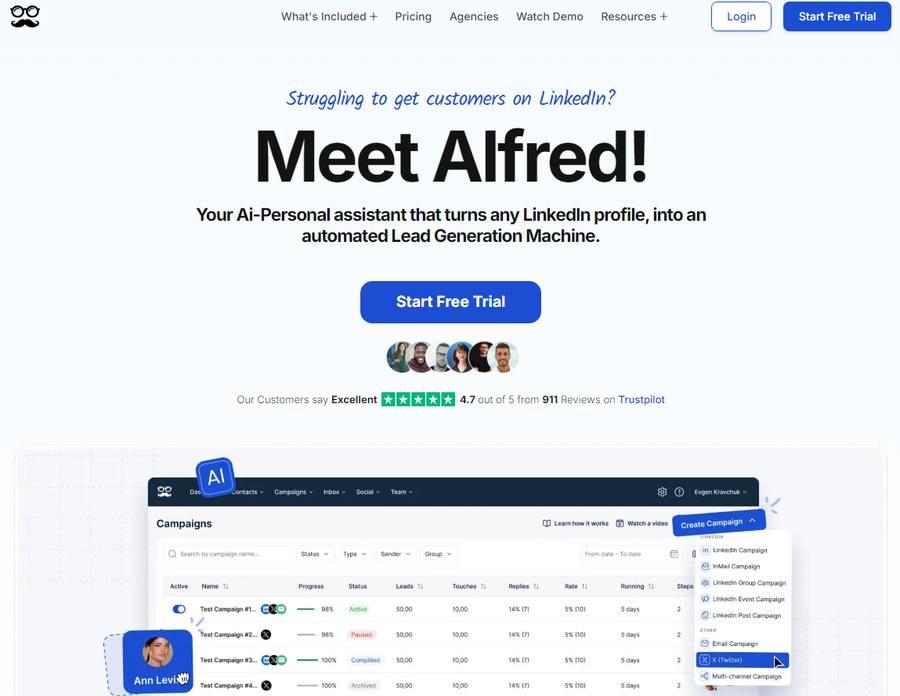
Meet Alfred — multi-channel campaign dashboard supporting LinkedIn, email and X (Twitter) outreach in one workspace ()
- LinkedIn + Email + X in unified campaigns
- Built-in CRM with contact tagging
- 600+ message templates
- Affordable annual pricing from $29/month
- G2 3.3/5 — lowest rating in this comparison
- Customer support is the most-cited critical complaint
- Multiple reports of LinkedIn account restrictions
- UI feels dated compared to newer tools
HeyReach Pricing vs. Alternatives — What You Actually Pay
HeyReach's pricing model creates a sharp cliff between Growth ($79/seat) and Agency ($999/50 senders). There is no mid-tier for teams managing 6–20 accounts. Linked Helper applies linear pricing across all account volumes with no plan-jump penalty.
| Tool / Plan | 1 Account | 5 Accounts | 10 Accounts | 50 Accounts |
|---|---|---|---|---|
| Linked Helper Standard | $15/mo | $75/mo | $150/mo | $750/mo |
| HeyReach Growth | $79/mo | $395/mo | $790/mo | $999/mo* |
| Dripify Advanced | $59/mo | $295/mo | $590/mo | $2,950/mo |
| Expandi Business | $79/mo | $395/mo | $790/mo | $3,950/mo |
*HeyReach Agency plan: $999/mo for up to 50 senders. BYO proxy +$5–$15/account. Annual billing applied where applicable.
Start Linked Helper Free for 14 Days
No credit card required. Full Standard-plan features. Setup takes under 10 minutes from account creation to first campaign.
Start Free Trial → 14-day free trial · No credit card required · Cancel anytimeIs LinkedIn Automation Safe in 2026?
This question comes up in every conversation with someone considering a switch. The short answer: it is safer than it was two years ago, but no automation tool is risk-free. LinkedIn's January 2026 policy update capped connection requests at approximately 100 per week per account, making daily-limit compliance directly tied to account safety.
Three things separate the safer tools from the riskier ones: deployment architecture, IP model, and human-behavior simulation.
- Runs onUser's machine
- IP addressResidential (user's)
- IP verifiable?Yes
- 24/7 operationVia VPS
- Ban riskLow
- Cost$15/mo
- Runs onVendor servers
- IP addressVendor datacenter
- IP verifiable?No
- 24/7 operationYes (always-on)
- Ban riskMedium–High
- Cost$39–$100/seat
- Runs onInside Chrome
- IP addressUser IP + fingerprint
- IP verifiable?Partial
- 24/7 operationNo
- Ban riskHigh
- Cost$0–$15/mo
Linked Helper implements five countermeasures at the session level, each addressing a specific LinkedIn detection signal: randomized delays (30–300 seconds between actions), mouse movement emulation, rolling 24-hour caps, work-hours scheduling, and per-account proxy assignment.
How to Switch from HeyReach to Linked Helper in 4 Steps
Under 10 minutes from export to first active campaign. Zero competitors provide this migration guide.
-
1
Export your leads from HeyReachIn HeyReach, navigate to your campaign contacts and export the full lead list as CSV. The export includes LinkedIn profile URLs, connection status, last message date, and custom fields. Flag any contacts who received a message in the last 30 days — you will exclude these in Step 4 to prevent duplicate outreach.
-
2
Start Linked Helper free trial and import CSVCreate a Linked Helper account at linkedhelper.com — no credit card required. Download and install the desktop application (macOS or Windows). In Linked Helper, create a new campaign first: click New Campaign, name it, and set your sequence steps. Then open the campaign's Queue tab and select Import from CSV. Map the LinkedIn URL column from your HeyReach export. Import completes in under 2 minutes for lists up to 10,000 contacts.
-
3
Rebuild your connection sequencesIn Linked Helper's Campaign Builder, replicate your HeyReach sequence steps: connection request with note, follow-up message 1 (Day 3), follow-up message 2 (Day 7), profile visit trigger. Copy message templates from HeyReach directly into the Linked Helper template editor. The full LinkedIn touchpoint stack — connection requests, message sequences, profile visits, endorsements, and InMail — is available on the Standard plan.
-
4
Set daily limits, assign proxy, filter duplicatesConfigure daily connection limits to 20–30/day for the first week on a new account, or up to 80/day for warmed accounts. Assign a residential proxy under Account Settings if managing multiple LinkedIn accounts. Filter your import list by "contacted within 30 days" and remove those contacts before launching to prevent duplicate outreach.
Final Verdict: Which HeyReach Alternative Is Right for You?
HeyReach works well. The unified inbox is clean. Agency pricing at 50+ senders is fair. The switching triggers appear when users confront per-sender economics at smaller scales, a LinkedIn-only channel model, and proxy sourcing requirements on upper-tier plans.
| You are... | Recommended Tool | Why | Starting Price |
|---|---|---|---|
| Solo SDR, recruiter, or small team | Linked Helper Standard | Full single-account automation, residential IP, 81% cheaper than HeyReach | $15/mo |
| Agency managing 5–20 accounts | Linked Helper + Workspaces | Per-account proxy isolation, role-based access, linear pricing | $150/mo (10 accounts) |
| Multichannel (LinkedIn + email + Twitter) | La Growth Machine | Native conditional flows across all three channels; highest G2 among cloud | €50/identity |
| Email-first team, LinkedIn secondary | Lemlist | Best email personalization, 966+ G2 reviews, Lemwarm included free | $55/user |
| Large agency (50+ LinkedIn accounts) | HeyReach Agency | $20/sender at Agency tier, unified inbox, built for this exact scale | $999/mo (50 senders) |
| Testing automation for free | Linked Helper (trial) or Waalaxy | LH: full features for 14 days; Waalaxy: 80 invites/week indefinitely | $0 |